Warning: Creating default object from empty value in /var/www/ascendxyz.com/dev/wp-content/themes/makwrk/framework/admin/ReduxCore/inc/class.redux_filesystem.php on line 29 Add New Species - Step Guide - AscendXYZ
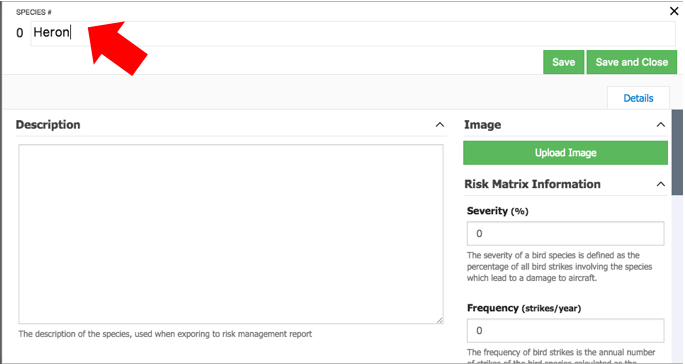
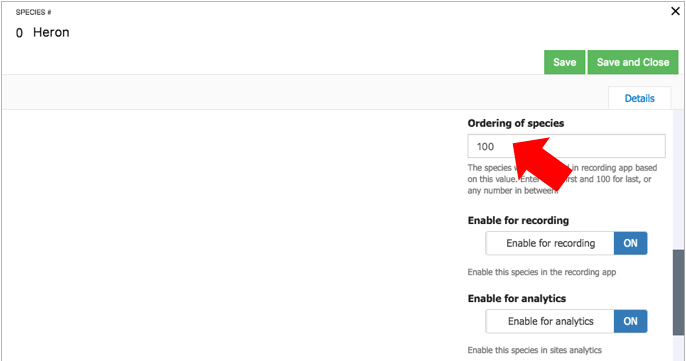
This is the number that controls in which order the birds are shown in the recording flow (app).
Get contacted
We use cookies to ensure that we give you the best experience on our website. We use cookies, just to track visits to our website, we store no personal details. If you continue to use this site we will assume that you are happy with it.No problemI refuse the usage of the cookies
Cookies
Like most websites AscendXYZ uses cookies. We use cookies to give you the best, most relevant experience. These cookies are completely safe and secure and will never contain any sensitive information. More information about our privacy policy here.