

The obstacles that penetrate the surface are now visible in the map, as well as the outline of the surface.
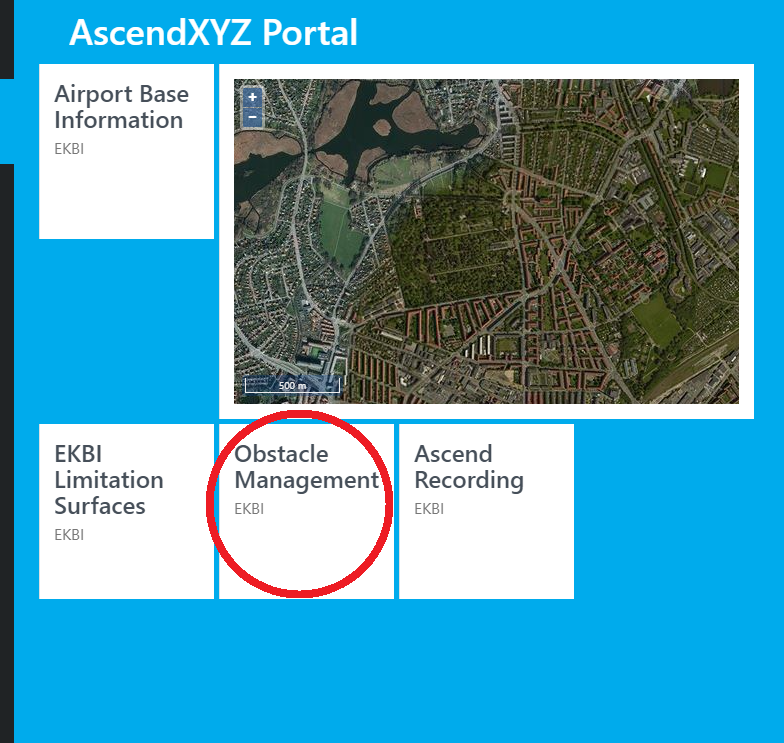
1. Click Obstacle Management
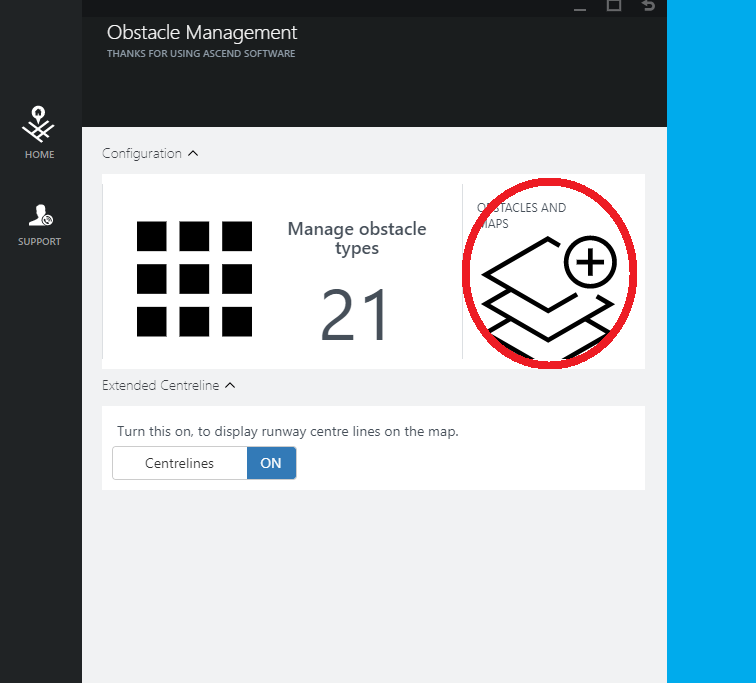
2. Click Obstacles and Maps
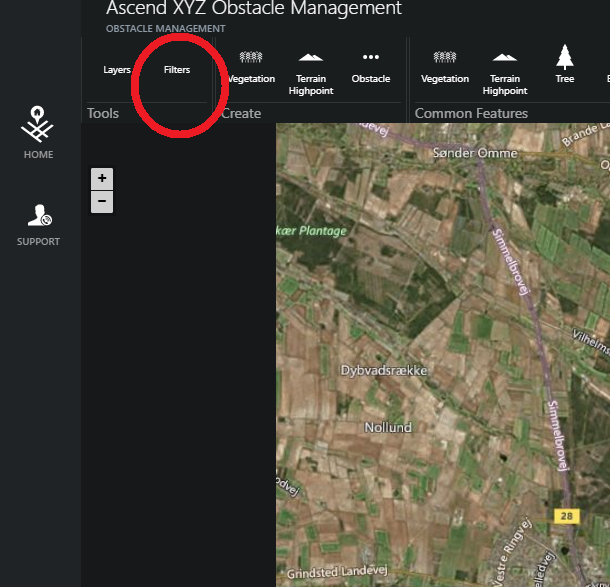
3. Click Filters
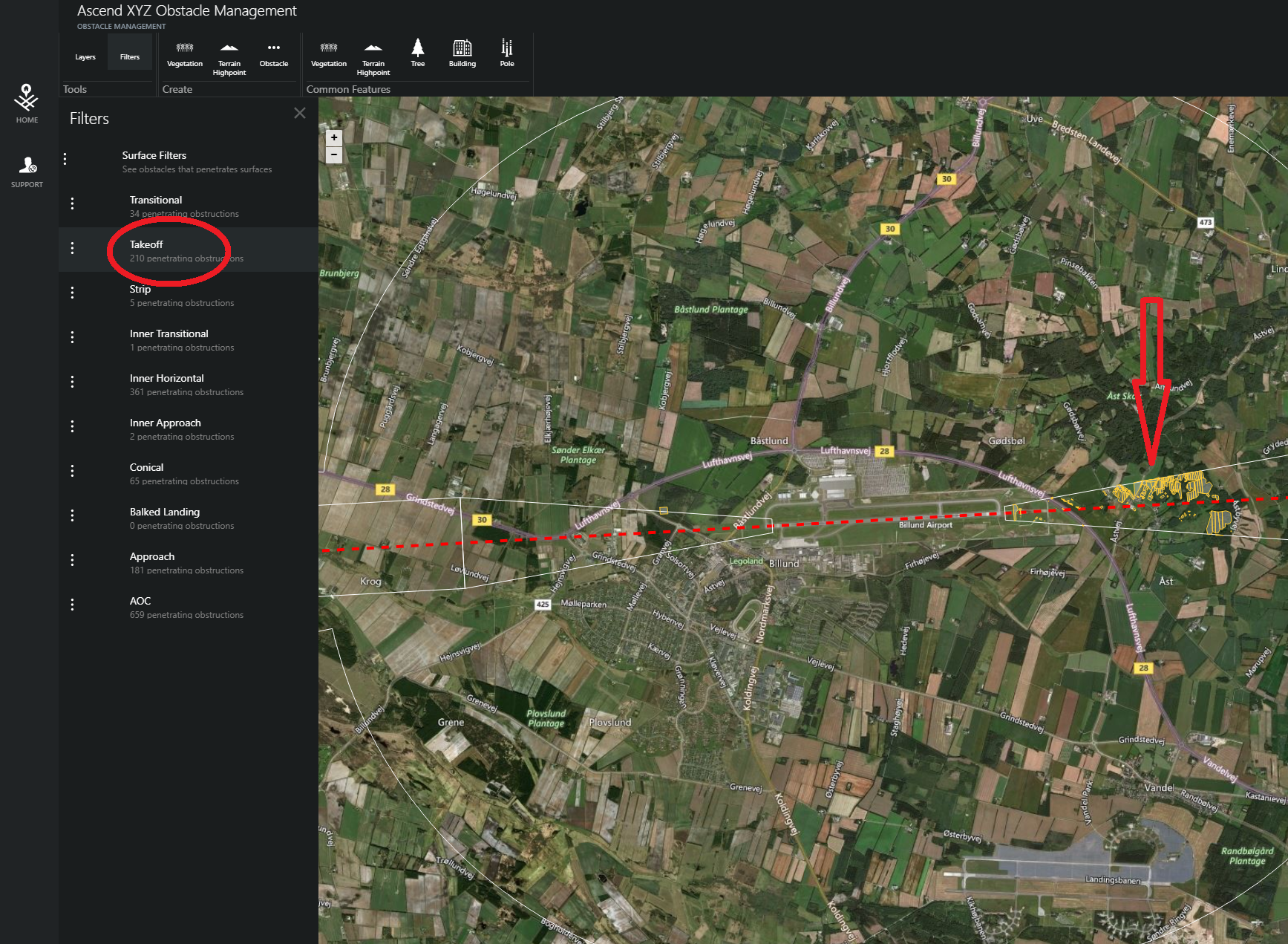
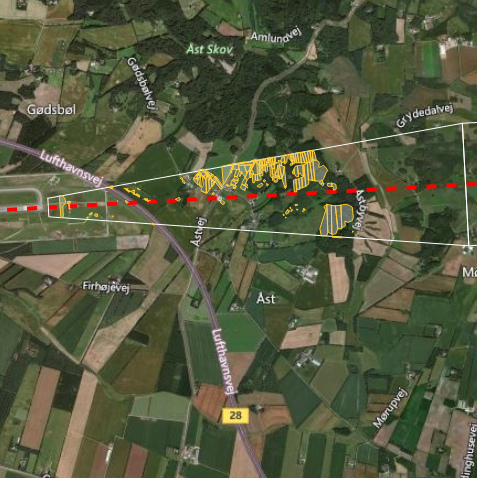
4. Click one of the filters
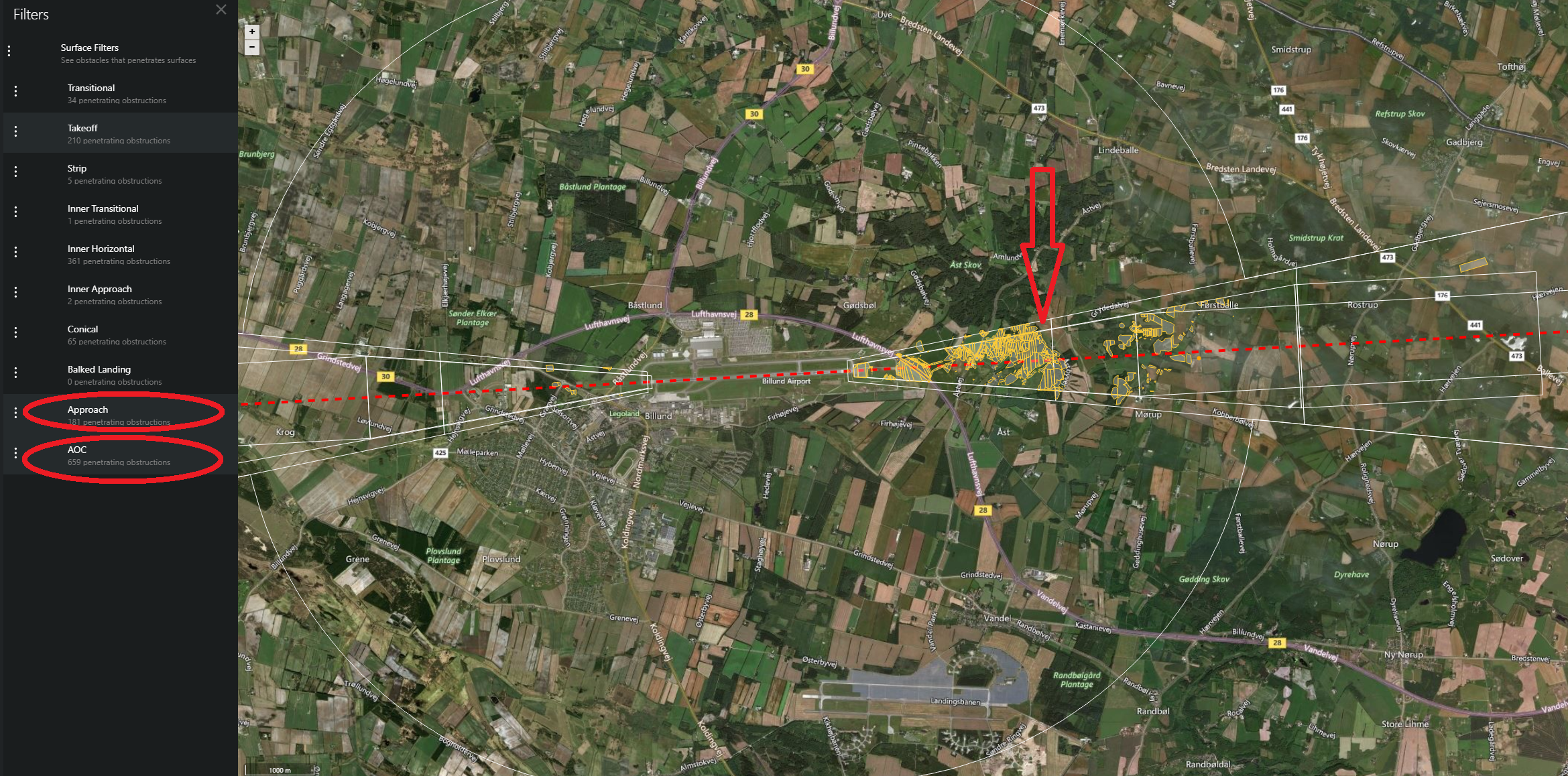
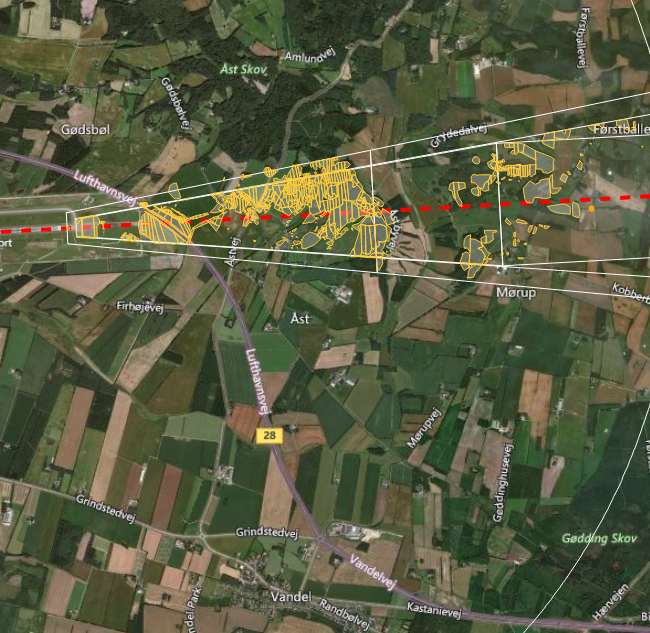
5. Click additional filters
Obstacles related to the additional surfaces are now added to the map.